
Optimus Interval Timer Pro1.0 - Google Play
You'll be able to see results in few seconds.
Publisher Description
Easy to use, efficient and fully customizable timer app for your interval training.
Optimus Interval Timer will help you focus on your workout and forget about the time, just follow the sounds and voice indications. And when you're done you can share your results with your friends.
It's an exceptional training timer for HIIT, Crossfit, running, cycling, tabata, yoga, sprinting, stretching, fitness, weightlifting, boxing, fartlek, aerobic, street workout, c25k... and even cooking!
This is the ad-free Pro version.
** Key features of Optimus Interval Timer **
Fully customizable workouts:
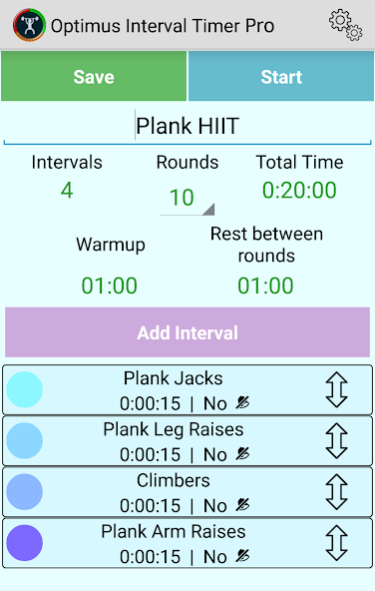
- Add as many intervals as you need.
- Set number of rounds of the workout.
- Set warmup and rest between rounds.
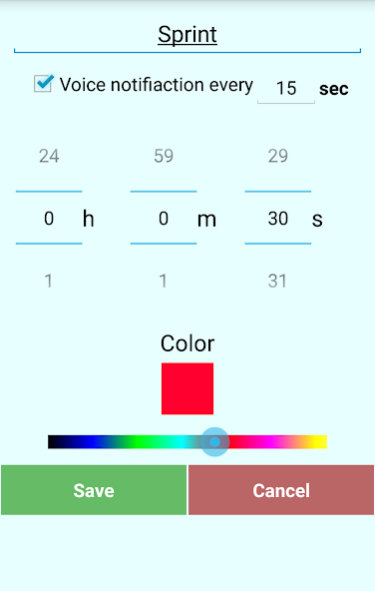
- Set interval duration, color, title and time between notifications.
- Easy to organize intervals: Rearrange just drag and dropping, remove just sliding to one side.
- Option to keep the screen on.
- It keeps working even if your screen is off.
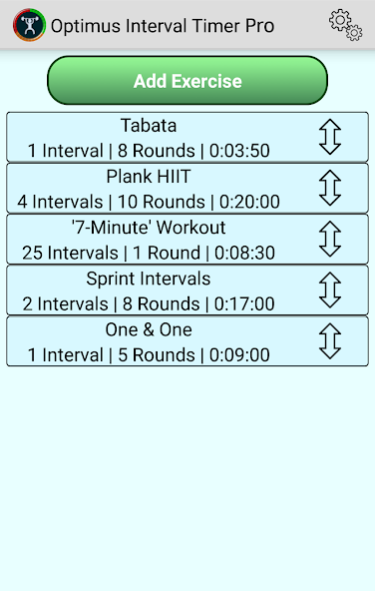
- It comes with preinstalled workouts such as tabata, 7-Minute workout, sprint intervals, one & one and plank HIIT.
Customizable notifications:
- Custom voice notifications: Set when you want to be notified individually. Every interval can have its own notification time.
- Title reading voice: Don't you remember what the next interval was? Don't worry, the app voice will tell you.
- Countdown voice.
- Choose the sound for interval change.
- Vibration.
Simple and intuitive look and feel. All the needed information in a glance:
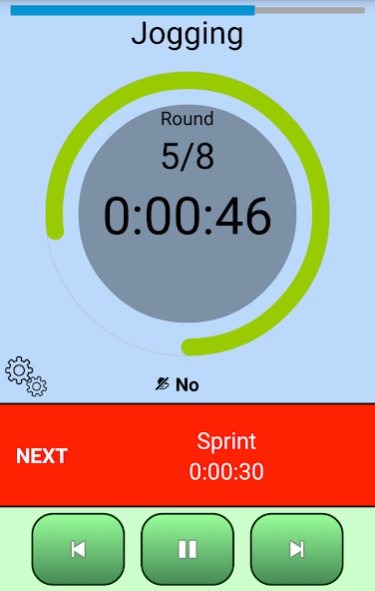
- Current round, total rounds, current interval time, circular representation of the current interval time left, linear representation of the total time left, background color representing the current and the next intervals.
- Information about the next interval: title, duration and color.
- Play, pause and change to previous or next interval.
If you have any feedback, go to the app settings and click on "Send feedback or bug report", or send me an email to contact@scappz.com, thank you!
What is HIIT?
High-intensity interval training (HIIT), also called high-intensity intermittent exercise (HIIE) or sprint interval training (SIT), is an enhanced form of interval training, an exercise strategy alternating periods of short intense anaerobic exercise with less-intense recovery periods. HIIT is a form of cardiovascular exercise. Usual HIIT sessions may vary from 4–30 minutes. These short, intense workouts provide improved athletic capacity and condition, improved glucose metabolism, and improved fat burning.
This definition comes from wikipedia (http://en.wikipedia.org/wiki/High-intensity_interval_training) where you can find a lot more information about its benefits. It also explains some very popular programs, like the tabata. HIIT is also a common practice in Crossfit trainings.
About Optimus Interval Timer Pro
The company that develops Optimus Interval Timer Pro is Scappz Android. The latest version released by its developer is 1.0.
To install Optimus Interval Timer Pro on your Android device, just click the green Continue To App button above to start the installation process. The app is listed on our website since 2015-06-11 and was downloaded 0 times. We have already checked if the download link is safe, however for your own protection we recommend that you scan the downloaded app with your antivirus. Your antivirus may detect the Optimus Interval Timer Pro as malware as malware if the download link to com.scappz.gym.pro is broken.
How to install Optimus Interval Timer Pro on your Android device:
- Click on the Continue To App button on our website. This will redirect you to Google Play.
- Once the Optimus Interval Timer Pro is shown in the Google Play listing of your Android device, you can start its download and installation. Tap on the Install button located below the search bar and to the right of the app icon.
- A pop-up window with the permissions required by Optimus Interval Timer Pro will be shown. Click on Accept to continue the process.
- Optimus Interval Timer Pro will be downloaded onto your device, displaying a progress. Once the download completes, the installation will start and you'll get a notification after the installation is finished.
Program Details
System requirements
Download information
Pricing
Version History
version 1.0-pro
posted on 2015-06-11
Disclaimer
Official Google Play Link
We do not host Optimus Interval Timer Pro on our servers. We did not scan it for viruses, adware, spyware or other type of malware. This app is hosted by Google and passed their terms and conditions to be listed there. We recommend caution when installing it.
The Google Play link for Optimus Interval Timer Pro is provided to you by apps112.com without any warranties, representations or guarantees of any kind, so access it at your own risk.
If you have questions regarding this particular app contact the publisher directly. For questions about the functionalities of apps112.com contact us.
